
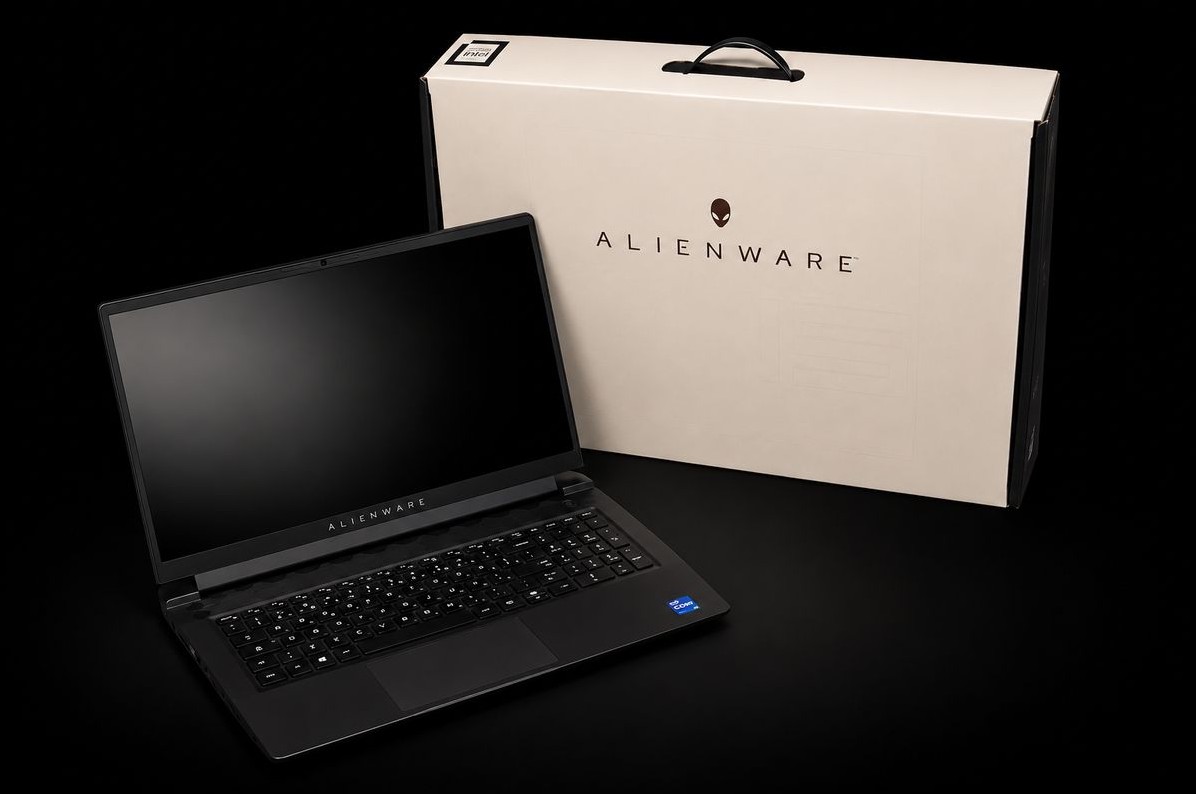
My Alienware m15 R7 running Ubuntu has always refused to change its keyboard colour. Of its four light groups (the keyboard, the power button, the lid logo, meaning the back of the screen, and the rear light strip), three responded, but only all together, in the same colour. The keyboard stayed on its factory light blue. My AWCC issue never went anywhere (I have since posted the answer there). So I tried something else: I pointed a camera at the keyboard and handed the problem to an AI agent (Claude Code), meaning an AI that runs commands on the machine itself and reads their results. It worked fully autonomously, with no human input at all. Here is what it found, where it got things wrong, and what is still open.

TL;DR
-
The m15 R7 has two independent USB lighting controllers:
- Alienware’s AW-ELC controller (USB ID
187c:0550) handles the power button, the lid logo and the rear light strip. - A controller made by Darfon (USB ID
0d62:dabc) drives the keyboard, key by key.
Existing Linux tools can only drive the first one, with one exception, alienfx-linux, which then blocks typing on the keyboard.
- Alienware’s AW-ELC controller (USB ID
-
The keyboard is set through 64-byte messages (HID FEATURE reports) carrying the number
0xCC, described below. One trap: right after a mode change, the colour messages you send are silently dropped, with no error at all, for 20–50 ms. -
The key map was measured by camera, one LED at a time. There are 89 LED numbers for 85 keys (four keys have two numbers), including
Fnand the key that locks the Windows key. Those two send nothing to the computer when pressed, so a “press the key that lights up” method could never have found them. -
The keyboard uses the same channel for its colours and for the keys you type. Giving applications access to it would hand a keylogger to any program. Hence a confined system service, which alone has that access.
-
The lid logo and the rear strip, out of the camera’s view at first, ended up measured on camera. On the AW-ELC controller, number 3 is the logo, and the rear strip has two independent channels (numbers 0 and 1). Before that, an indirect measurement looked positive… until a control measurement (a placebo) gave the same signal.
-
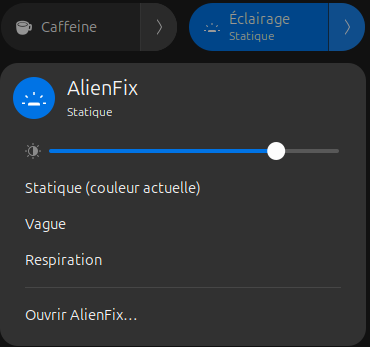
The result is AlienFX LEDs: a system service, a desktop app, a button in GNOME’s Quick Settings menu and a terminal command. Besides the measured m15 R7, it knows 49 other Alienware and Dell models. They are taken from other open-source projects and marked as unverified.
A few words of vocabulary
The article stays technical, but these few terms are enough to follow it:
- USB, USB ID. Every USB device announces a “vendor:product” ID, for example
187c:0550(187c= Alienware,0d62= Darfon). This is what thelsusbcommand shows. - HID (Human Interface Device). The USB standard for keyboards, mice and gamepads. A HID device exchanges small fixed-size messages with the computer, called reports. Each report carries a number that says what it is for; FEATURE reports are used for settings (here, the colours). In this article, a report you send is called a message; its first bytes form the command, which says what to do.
- Controller. The small chip that receives these messages and drives the LEDs.
- AW-ELC controller. The chassis lighting controller of recent Alienware and Dell G machines: power button, logo, rear strip. “AW-ELC” is the name it announces itself over USB; no documentation spells out ELC. Each zone on it has a number.
- Darfon. A Taiwanese keyboard maker, which supplies this laptop’s backlit keyboard with its own controller.
- WMI (Windows Management Instrumentation). An interface through which the operating system asks the machine’s BIOS for services. The Linux
alienware-wmidriver uses it to set some Alienware features. - hidraw. On Linux, every HID device shows up as a special file (
/dev/hidraw5, for example). Whoever can open that file can talk to the device directly. - Service. A system program that runs in the background, without a window.
The symptom, and the cause in one line
Here is what lsusb shows:
Bus 003 Device 004: ID 187c:0550 Alienware Corporation LED controller
Bus 003 Device 005: ID 0d62:dabc Darfon Electronics Corp. Keyboard
That’s all it takes: two lighting controllers, not one.
- AWCC and OpenRGB, the usual Linux tools for these machines, only know the first one, the AW-ELC controller (
187c:0550). akbl, which is older, cannot even talk to that one (see the table below). - The keyboard is a different USB device that uses a different protocol.
- The kernel cannot help either: on this model, its
alienware-wmidriver only handles fans and performance profiles, not lighting.
The setup: a camera, and one rule
The rule given to the agent was simple: never draw a conclusion from a command’s reply. This hardware politely accepts commands that light nothing. Only the light counts.
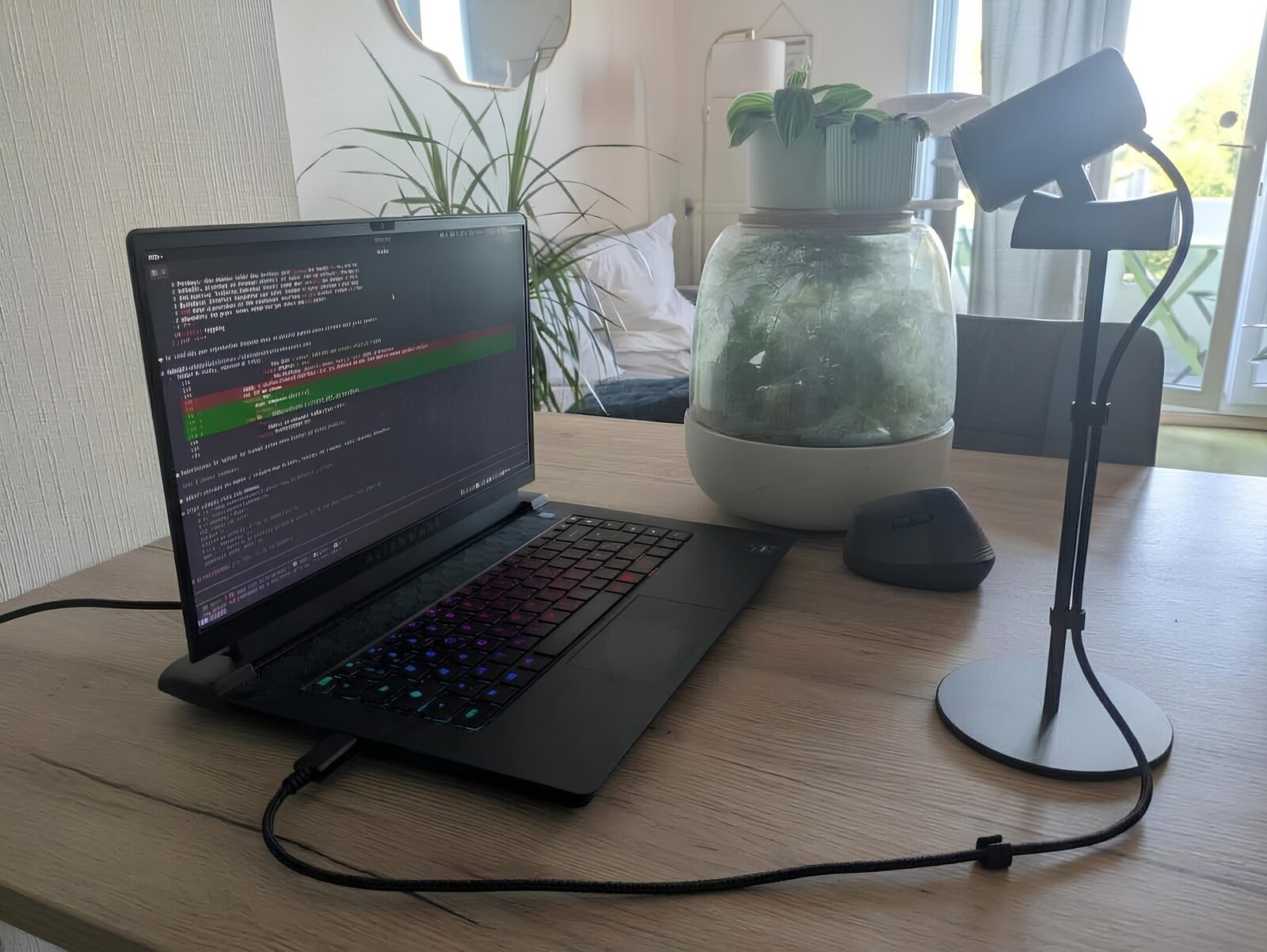
A Logitech C920 camera, on a desk stand next to the laptop, is aimed at the keyboard. Two details mattered:
-
One program at a time. The C920 is a UVC camera (USB Video Class, the webcam standard), and only one program at a time can open its video stream. Yet the images were needed in several places at once:
- in the session footage, so the AI’s work could be reviewed afterwards;
- in every measurement tool.
So a single
ffmpeg(the command-line video tool) reads the camera and produces two outputs: the video, and a still image rewritten ten times a second, which every tool reads. The camera’s settings (exposure, focus) can still be changed while it records, which came in handy right away: -
The camera’s auto-exposure lies. In automatic mode, the power-button LED showed up white whether it was red or green, because the sensor saturated: too much light, and everything turns white. The agent therefore switched to manual exposure, with a fixed white balance and focus locked at the sharpest setting.
Where existing projects stop
| Project | What it does | Where it stops on the m15 R7 |
|---|---|---|
| AWCC (tr1xem) | Command line, GUI and service for recent Alienware and Dell G machines | Only talks to the AW-ELC controller, which handles the power button, the lid logo and the two channels of the rear strip. It sets them all to the same colour, and never sees the keyboard. |
| OpenRGB | General-purpose RGB lighting tool | Handles that same AW-ELC controller (as “Dell G Series LED Controller”), zone by zone. It does not know the keyboard’s Darfon controller. |
| akbl | Graphical tool for Alienware machines | Archived. It uses the old AlienFX protocol of the 2010–2017 Alienware machines, which neither of the m15 R7’s controllers understands. |
| AlienFX-SDK (T-Troll) | The Windows reference library that most of the tools above draw on; it knows both controllers. It powers its author’s Windows app, alienfx-tools | Windows only, and the meaning of some bytes is assumed rather than measured (see below). |
| alienfx-linux | A Linux port of that library, and the only tool that talks to the keyboard on Linux | To talk to the keyboard, it detaches it from the kernel driver and drives it itself. As a result, you can no longer type on the built-in keyboard while the tool runs. |
The AlienFX-SDK, that reference library, also makes three claims that do not hold on this machine:
- “Keyboard effect 4 is a two-colour wave.” It actually shows a frozen band. The two-colour wave is effect 3 with two colours.
- “The AW-ELC controller answers 33 when ready and 34 when busy.” The reply read back is really an echo of the last command sent: 33 and 34 are just the numbers, in decimal, of two of its commands (
0x21and0x22in hexadecimal). The reply proves the command arrived, never that it did anything. - “The status byte the keyboard returns tells you where it stands.” It read
0x17every time, before and after a colour change. It tells you nothing.
Talking to the keyboard, and the traps
To change colours, you send the keyboard 64-byte messages tagged 0xCC. A message starts with a command (a few bytes), followed by its data.
- To colour LEDs, the command is
8c 02 00, followed by 4-byte blocks:[LED number + 1, red, green, blue]: the keyboard counts from 1, while the LED numbers in this article start at 0. - A message holds at most 15 blocks, so it colours at most 15 LEDs. The whole keyboard takes six messages.
The first attempt lights up the F1, F2… F12 row. Victory? No. It worked “by itself” because the old lighting stack installed on the machine had left the keyboard in the right mode, and the keyboard keeps its mode until the power is cut. The agent started a built-in animation, then tried again: nothing showed any more.
A mode command was missing.
- The keyboard has two modes: it either plays its own built-in animations (wave, breathing…), or shows the colours it is given, key by key.
- Until it receives
80 01 fe 00 00 01 01 01to switch to “key by key” mode, it ignores the colours it gets. - This command was documented nowhere; it was buried in the AlienFX-SDK code.
The nastiest trap showed up the first time the service started, with the top row left dark:
Right after that switch to “key by key” mode, the colour messages you send are silently dropped. For a message that colours 15 LEDs:
- sent straight away: 0 LEDs coloured out of 15 (two tries out of two);
- after 20 ms: it worked in one try out of two;
- after 50 and 100 ms: 15 out of 15.
No error is reported. So the service waits 100 ms after every mode change.
The rest was measured on the machine, and on camera for everything that lights up:
- Brightness (
83 38 9c <0 to 255>): a real dimmer, which lowers the light without changing the colours. - Built-in animations: breathing (2, the light rises and falls smoothly), wave (3), pulse (8, a flash then a fade to black), two-colour pulse (9), scanner (10, a band moving back and forth).
- Animation speed: the “tempo” setting is a duration, not a speed. The higher it is, the slower the animation: the wave loops in about 0.6 s × tempo.
- The AW-ELC controller (button, logo, rear strip) is slow.
- It takes 64 ms per message, however the message is sent.
- The power button (number 2 on the AW-ELC controller) only changes colour through a sequence of five messages, repeated for each of its six power states (plugged in, on battery, charging, asleep…), plus an opening and a closing message.
- That makes 32 messages, or 2 s, but it is also what lets the button keep its colour even while the machine is off.
Mapping the keys with a camera
The keyboard refers to each LED by a number unrelated to the key, so the only way to find out which is which is to light a number and look. The scan runs in a loop:
- the keyboard is dark and one number is lit in white;
- three frames are averaged and compared with a frame of the dark keyboard;
- the brightest spot is located.
Then comes the geometry: the four corners of the keyboard are found in the image, the perspective is straightened, and each bright spot is attached to the nearest key.
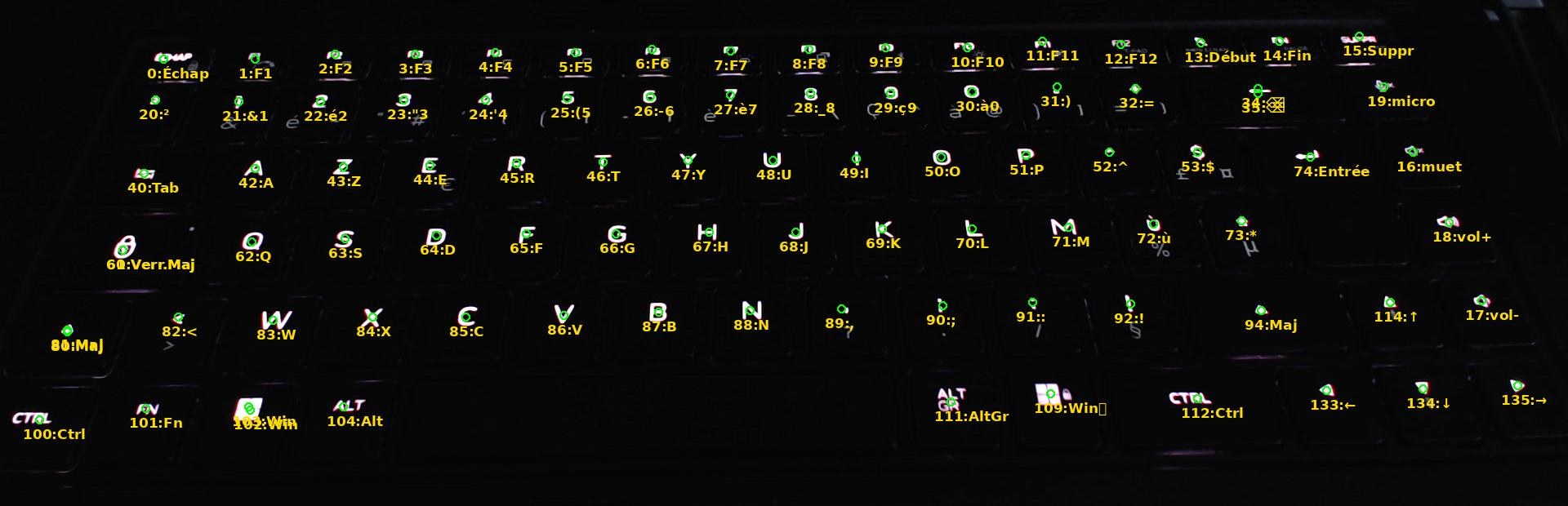
- 89 numbers for 85 lit keys; the space bar has no LED.
Fnand the Windows-lock key have an LED, but they send no keystroke to the computer. A method that asked “press the key that lights up” would never have found them.- Four keys respond to two numbers, at the same spot: Backspace, Caps Lock, left Shift and Windows. It is one LED, reachable through two numbers. The agent first assumed “two LEDs under a wide key”… but the Windows key is a normal-sized key.
- Every number
kalso responds to numberk + 140, except the one for the<key, which only exists on European keyboards; nobody knows why. These duplicates are not counted in the 89, and the service does not use them. - Telling volume up from volume down took counting, zoomed in on the image, the small sound waves printed on the two keys.
- Check: 12 keys picked at random, lit by name, were found within 12 pixels, on keys about 100 pixels wide.
The scan that was off by one
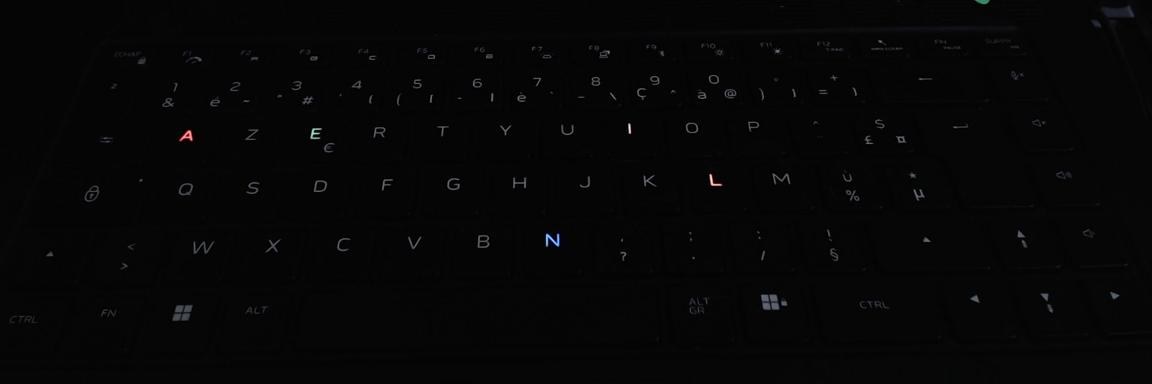
A first full scan produced a map shifted by one key, with duplicates and 14 keys “without an LED”. The first reflex was to suspect the keyboard. Wrong.
- The camera image arrived 0.5 s late (a 0.1 s delay had been measured at the start of the session).
- The scan only waited 0.35 s after lighting each number, so it was looking at the frame where the previous key was still lit.
The scan now measures that delay before it starts. Result: 89 numbers out of 89 match the map above, and 12 keys out of 12 were found by name.
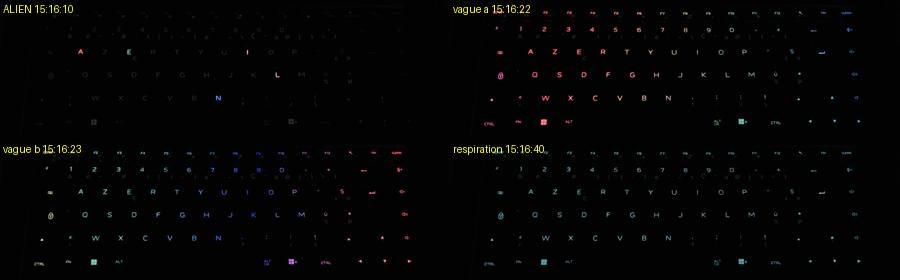
The lid logo and the rear strip: a false positive, then a measurement
The lid logo and the rear light strip are out of view of the C920, which is aimed at the keyboard.
The agent first tried an indirect measurement. The laptop’s built-in webcam, facing the room, looked for the room getting slightly brighter when those LEDs were switched on. To pull such a faint signal out of the noise, you switch on and off dozens of times and average the difference.
First result: numbers 0, 1 and 3 did seem to light the room… But a group of control numbers, which should light nothing, gave a signal too.
The agent redid the measurement with the webcam’s exposure locked, in random order, and with a placebo, meaning a “dark versus dark” control measurement, which cannot show anything. Everything fell back to the placebo’s level. The effect came from the webcam’s automatic settings; without the placebo, that first result would have been published as a measurement. As long as nobody can see those LEDs, the only honest answer is “we don’t know”.
The only serious option was therefore to turn the C920 towards the back of the screen. The method was the same as for the keyboard: switch everything off, then light each number alone, in green.
- Number 3 on the AW-ELC controller is the alien logo on the lid.
- Numbers 0 and 1 both light the rear strip, and they are two independent channels.
- The rear strip is really two strips, an upper and a lower one. With 0 in red and 1 in blue, the upper strip is red on the left and blue on the right, with a blend in the middle.
- The lower strip is the other way round: the two channels cross.
- It looks as if two LEDs fed a single ring-shaped diffuser. That is an assumption: the inside was not seen.
- Numbers 4 to 15 light nothing visible, and the round blue LED visible in a corner of the image is not on the AW-ELC controller.
- The AW-ELC controller’s animations work on these zones: a pulse on the logo (one cycle about every 2.4 s), and a red ↔ blue fade on one channel while the other stays steady.

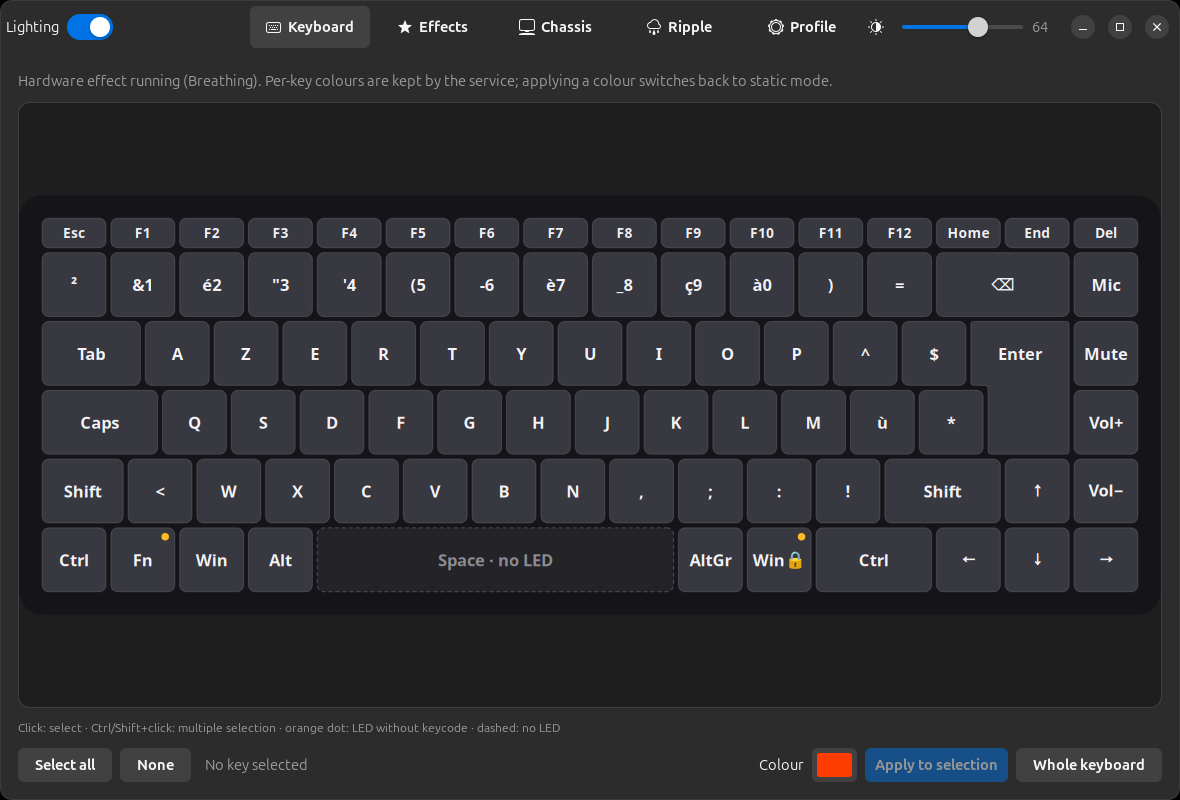
In AlienFX LEDs, these two channels become Rear LEDs A and Rear LEDs B: two colours, or two effects, set separately.
A system service, because the keyboard also carries your keystrokes
This laptop’s keyboard uses the same channel (the same /dev/hidraw file) to receive its colours and to send the keys you type. Giving applications the right to change the colours would also give them the right to read everything typed: a keylogger. Hence this architecture:
-
alienfixd, AlienFX LEDs’ system service (its name comes from alienfix, the project’s working name), is the only program that opens those files. It runs as root, but stripped of every root power it does not need, and locked down by systemd:- it can only reach the lighting devices;
- it sees almost nothing of the file system;
- it has no network;
- it can only call a short list of kernel functions.
systemd’s audit tool (
systemd-analyze security) rates it 0.9, on an exposure scale where 0 is the most locked down and 10 the most exposed: “SAFE”. -
A narrow interface.
- Applications talk to the service over D-Bus, the Linux desktop’s messaging system.
- They can only make lighting requests (“make this key red”), picked from closed lists.
- They can never make it pass a raw message to the keyboard, and the service re-checks every request.
-
polkit, the desktop’s permission manager, lets the person sitting at the machine change the lighting, but not a remote session or a locked one.
- This was checked with a real ssh connection.
- Along the way came an instructive false alarm. An ssh connection opened from inside the graphical session, to the machine itself, was accepted, because polkit judges the program making the request, not the route used to connect.
-
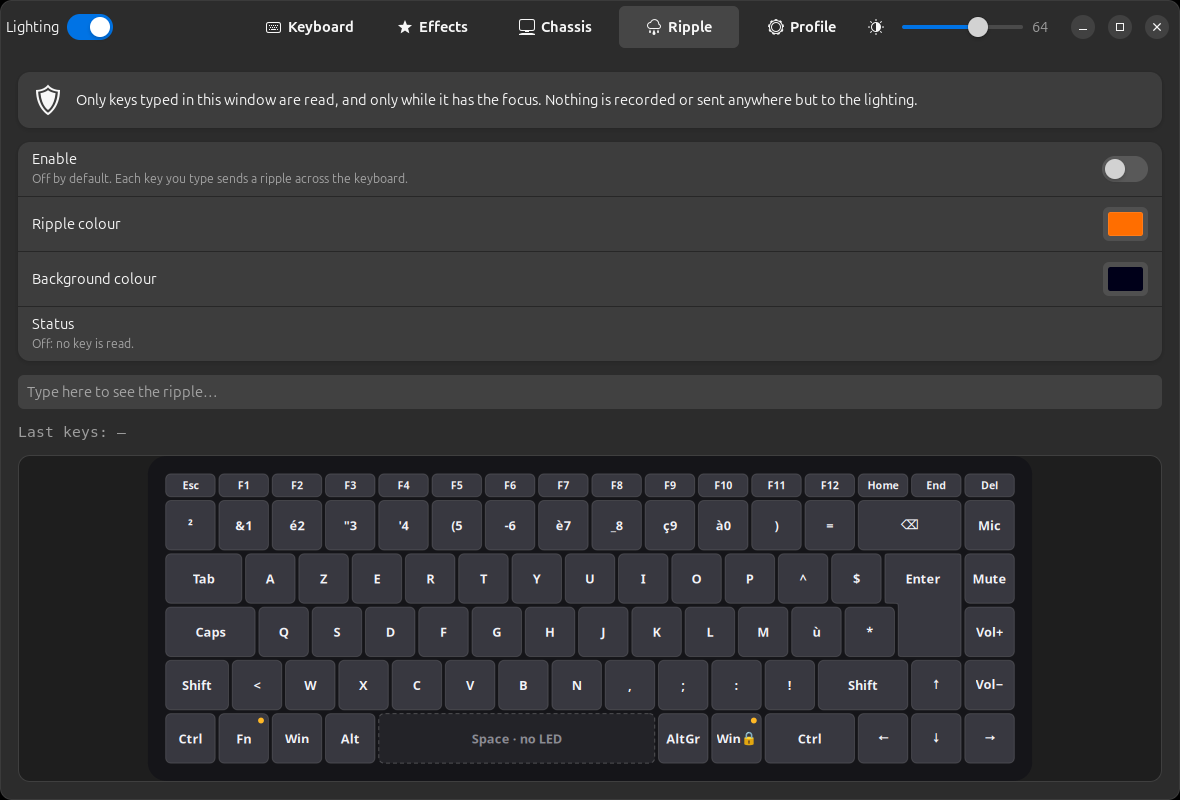
The ripple effect, which reacts to typing, raises the keylogger question again.
- First version: the app only listened to keys typed in its own window, while that window was in front, and after it was switched on by hand.
- That made the ripple impossible to switch on from the Quick Settings menu, so it moved into the service, which remembers that setting with the rest of the lighting. The service now reads key presses, under narrow rules:
- only while the ripple is on (it is off by default, and switching it on goes through polkit) and the lighting is on;
- only from the laptop’s built-in keyboard, never from an external one;
- a key press only becomes a position on the keyboard: it is not stored, logged or sent anywhere.
- Measured throughput: 42 full-keyboard frames per second through the whole chain, for an animation running at 30 frames per second.
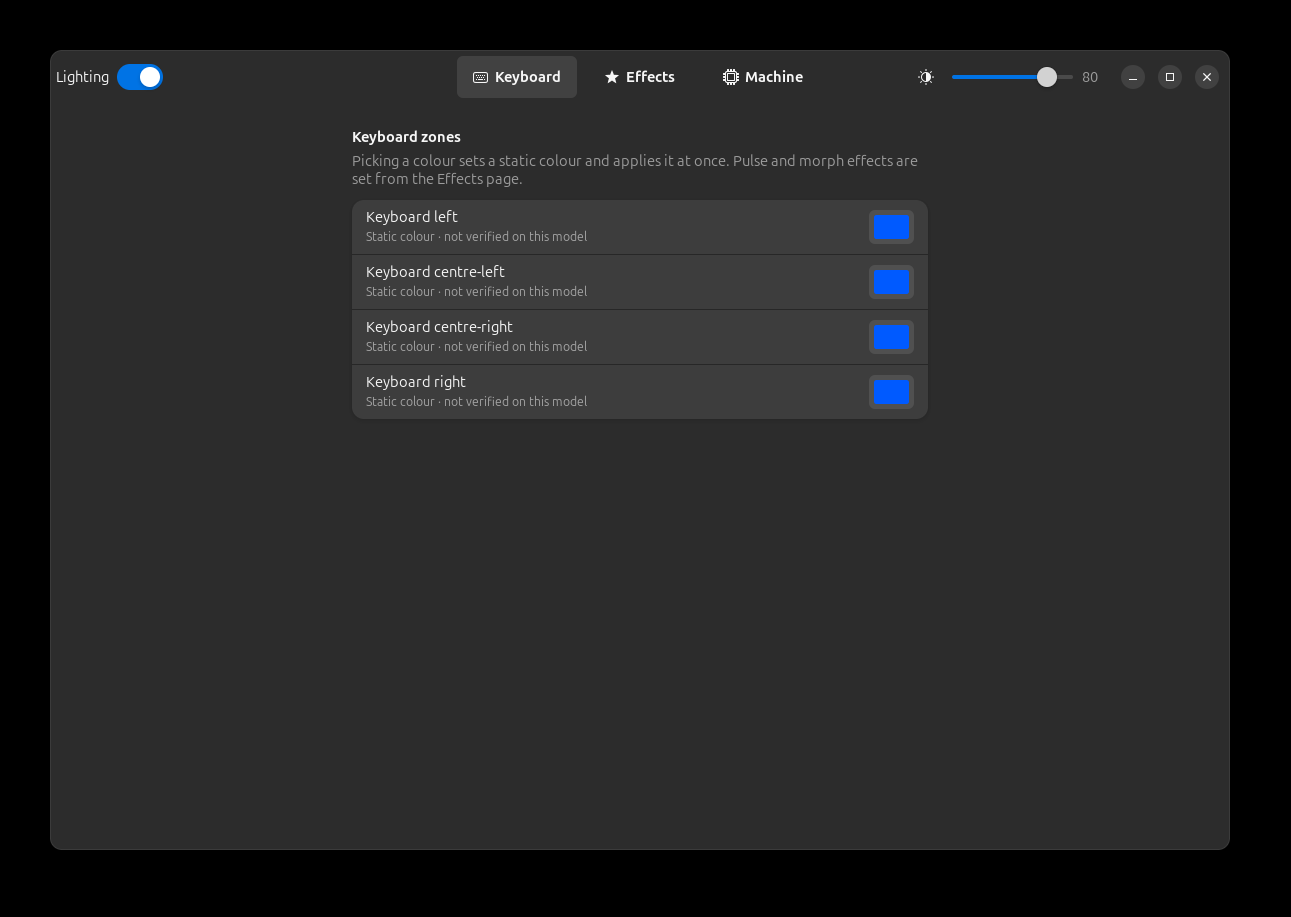
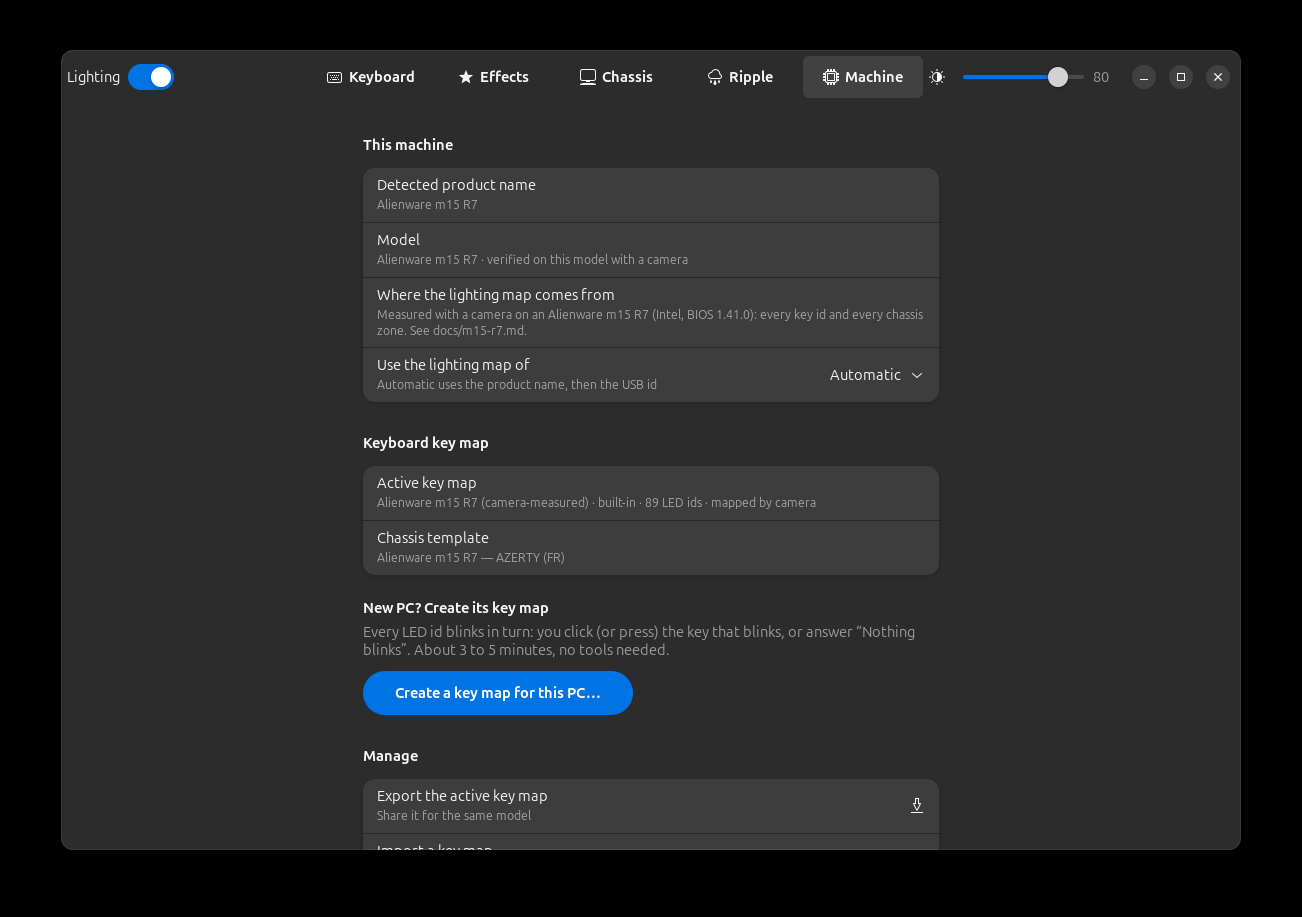
The desktop app is called AlienFX LEDs, with an English interface. It lives in its own repository: Zeecka/alienfx-leds.
And the other Alienware and Dell machines?
The m15 R7 is not an exception. Many Alienware and Dell G machines released since 2019 carry the same AW-ELC controller, and several Alienware laptops the same kind of Darfon keyboard. What changes from one model to the next is the map: which number lights what.
So the app no longer hard-codes the m15 R7. Each machine is described by a small file, its profile:
- its light zones;
- the controller that drives each one;
- a keyboard that can be set key by key, by zones, or not at all.
| Controller | USB ID | Machines |
|---|---|---|
| AW-ELC | 187c:0550, 187c:0551 | m15/m16/m17/m18, x17, Area-51m, Aurora; the 4-zone keyboards of the Dell G15, G5, G7 |
| Darfon key-by-key keyboard | 0d62:… | m15 R3 and later, m16, m17, m18, x15/x17 |
| Old AlienFX controller | 187c:0511 to 187c:0530 | 2010–2017: M11x, M14x, M17x, M18x, Alienware 13, 15, 17, Area-51, Aurora R4 |
Kernel alienware-wmi driver | none (set through the BIOS) | Desktops from before 2018 (X51, Alpha) |
The maps come from other open-source projects, and only as facts (IDs, numbers, zone names): alienfx-tools (MIT licence), akbl, OpenRGB and AWCC.
- That makes 49 models besides the m15 R7, all marked reported: the app shows, zone by zone, that nobody checked them here. Only the m15 R7 is verified.
- Cross-checking the sources caught one inconsistency. akbl and an old Python tool (alienfx) assign the old AlienFX protocol to these controllers, which alienfx-tools, OpenRGB and the camera measurements all contradict. Those entries were left out.
The app recognises the model by its name, as written by the BIOS, or by its controller’s USB ID; you can also pick it by hand.
- An unknown machine still gets a basic profile, built from the controllers actually detected, with neutral zone names (“Light 0”, “Light 1”…).
- If it has a key-by-key keyboard, the method is the same as here, minus the camera: a wizard blinks each LED, and you click the key that lights up.
- On the m15 R7, the rework changes nothing: for the same setting, the messages sent are identical, byte for byte, to those of the version checked on camera.
The mistakes, as they happened
The agent made some, and I’m keeping them, because they are what makes the measurements credible:
- a measurement area 70 pixels off in the image, which led it to conclude “the button doesn’t change” while it was red;
- the built-in webcam’s false positive, caught by the placebo;
- a fake ssh security hole, which was an artefact of the test;
- an Enter key sent blind in GNOME search (the agent drove the desktop by simulating keystrokes with
xdotool), before the search text had arrived, which launched Steam, ready to install packages (cancelled in time, nothing installed); - about 15 s of footage lost: after the machine woke from sleep, the monitoring script the agent had written mistook the sleep for a crash and restarted the recording;
- a fixed wait too short for the camera’s real delay, which shifted a full scan by one key (see above).
Upstream
The answer is now posted where the search started: a reply to my AWCC issue explains the cause, the two controllers, and points to AlienFX LEDs and to this article.
The change proposals (pull requests) for the existing projects are written and reviewed, but not published yet:
- AWCC: the explanation of the cause, plus the m15 R7 zones (logo, two-channel rear strip);
- alienfx-linux: talk to the keyboard without taking it away from the Linux driver, and wait after a mode change. Tested on the machine: typing on the keyboard keeps working;
- AlienFX-SDK: fix the comments that the measurements contradict.
For OpenRGB, there is no pull request. Its contribution rules forbid AI-generated code, and stripping the attribution to get around the rule would deceive the maintainers. Instead there is a factual hardware report that a human can pick up.
The whole session as asciinema
Instead of a screen recording (which caught a password along the way), here is the full session in asciinema, a terminal recording you can replay in the browser.
- It contains prompts, the agent’s reasoning, commands and result excerpts, rebuilt from the log of the conversation with the agent.
- The password is masked at the source.
- The 26 hours play back in about two minutes: idle stretches are cut down to 0.5 s, and the rest plays at 4×. Pause and the progress bar let you stop on any part.
Still open
- The power button’s animations: sent as on the other zones, but never filmed. They were tried with the camera facing the back, where the button is out of view.
- Animation 11, probably reactive to keystrokes, could not be checked: it would have taken a human typing on the keyboard while the camera films.
- The lighting survives sleep, but we don’t know why: the keyboard may keep its colours by itself, or the service may resend them on wake-up.
The code (service, terminal command, desktop app, GNOME extension and model catalogue) is on GitHub: Zeecka/alienfx-leds. If you have an Alienware or Dell G whose map is marked reported, open an issue on the repository to say what actually lights up: that is how its map gets fixed, then verified.