Challenge details
| Event | Challenge | Category | Points | Solves |
|---|---|---|---|---|
| BreizhCTF 2025 | Ishihara | MISC | 369 | 44 |
It would be so much easier if I weren’t colorblind!
Author: Zeecka
TL;DR
The challenge is a reversed Ishihara Test. Adding colorblindness simulation filters, or remapping the colors, reveals the letters that make up the flag.
Methodology
The archive’s contents present a set of images resembling colorblindness tests (in particular the Ishihara color tests).
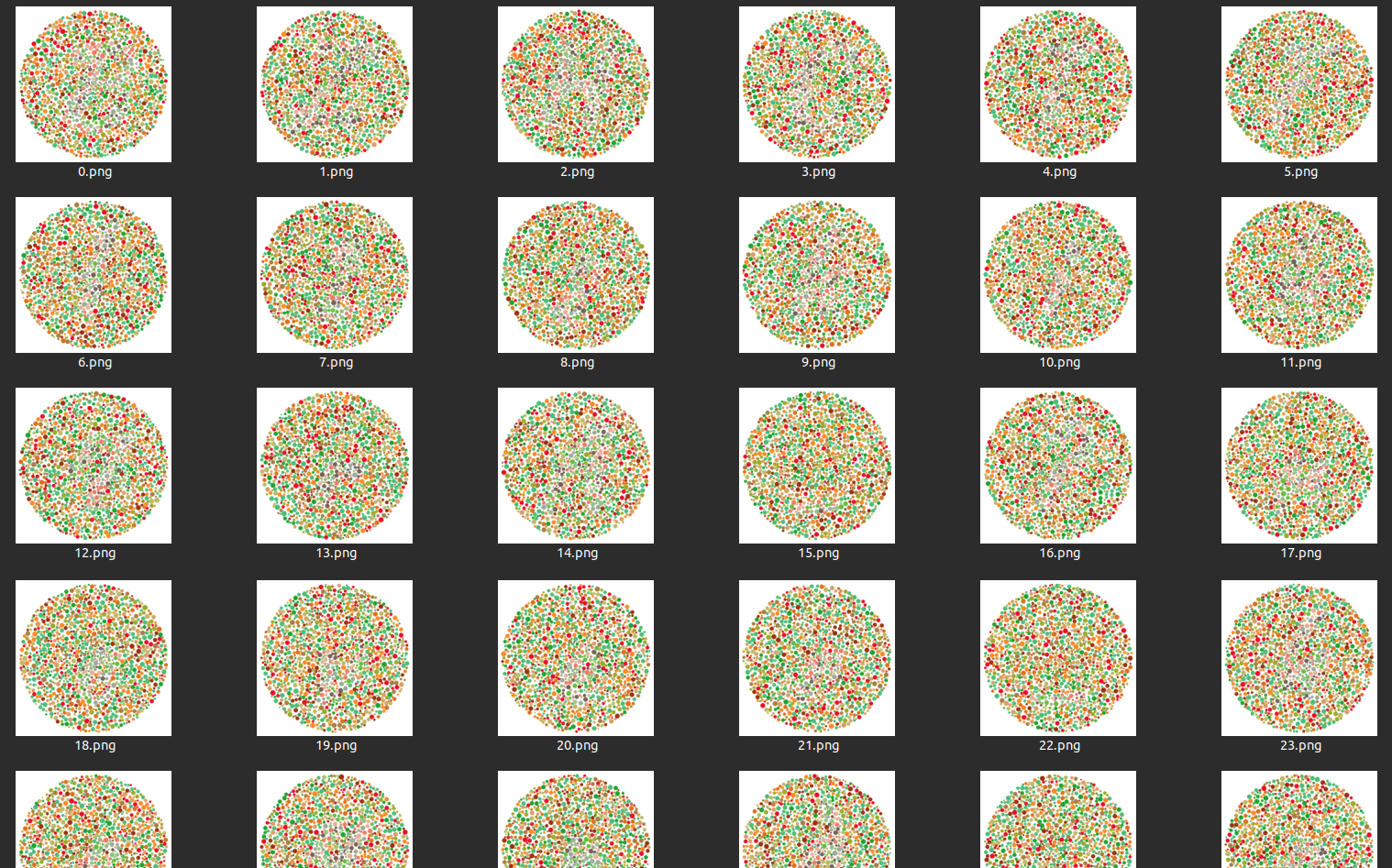
It is however very difficult to identify any digit among the various plates.
Applying a colorblindness simulation filter of the Protanopia and Deuteranopia type highlights the presence of distinct shapes resembling letters.
Note: Colorblind people have a slight advantage in spotting these shapes.
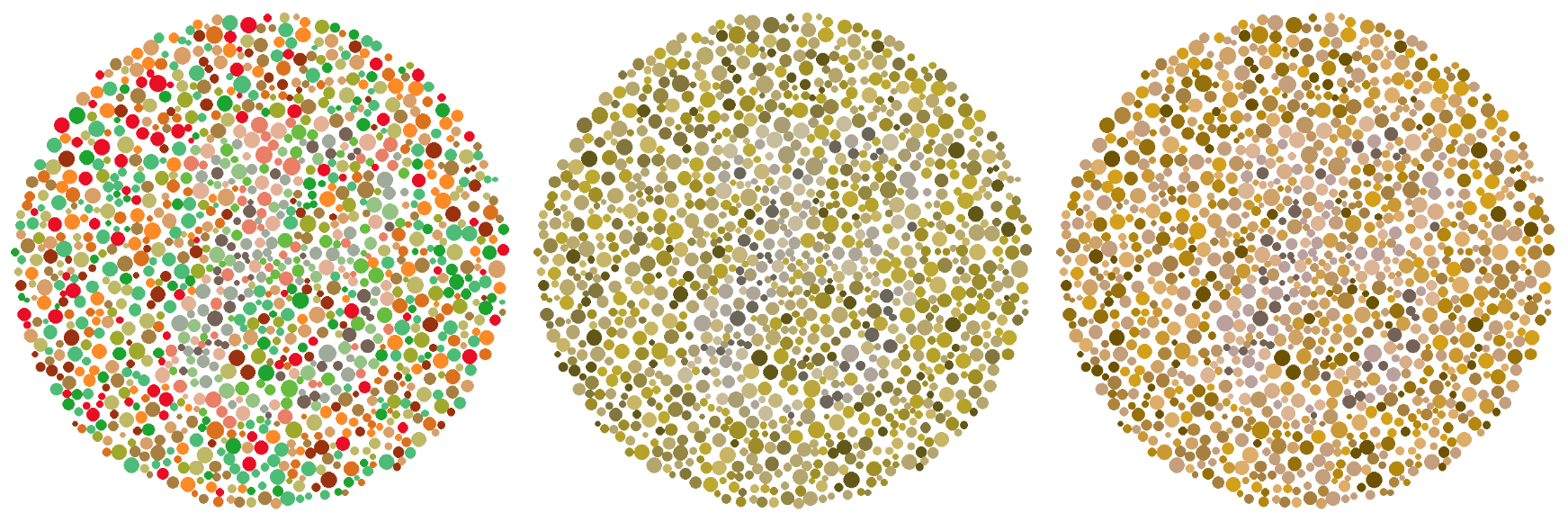
Example of the filter showing letter “B” (first letter of the flag format).
Method 0 - Superhero
This method consists of finding a volunteer on your team, preferably colorblind, to identify the letters of each image without any transformation 🤡. This person will then have to spend the night torturing their eyes for the glory of their team.
Method 1 - Random colors remapping
Using the well-known StegSolve software lets you randomly remap an image’s colors via its “Random colour map” view.
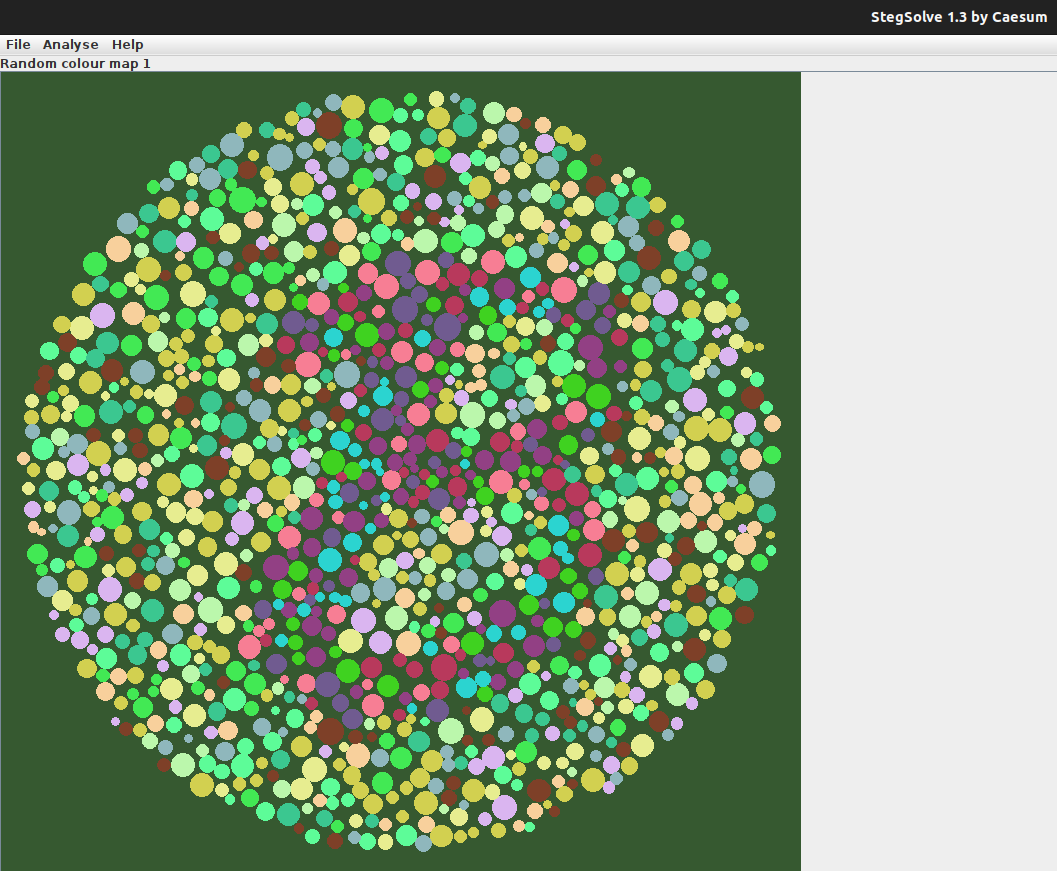
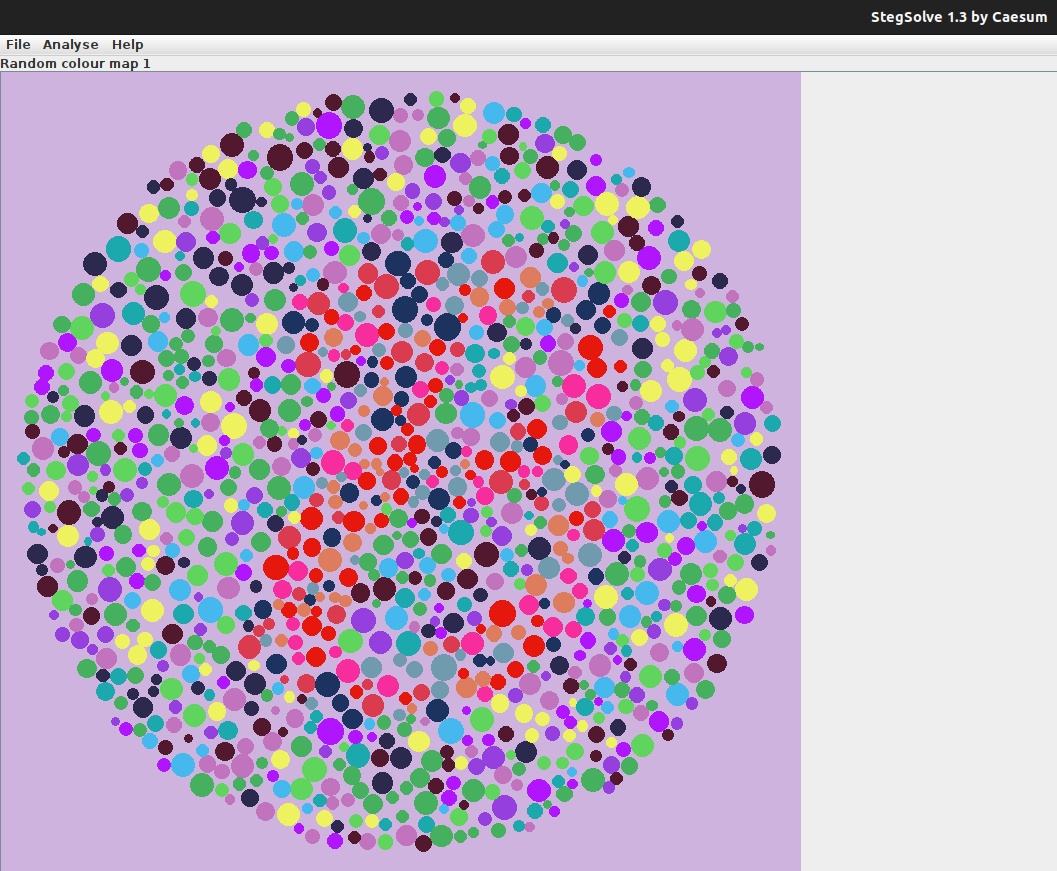
Example of the filter showing letter “B” (first letter of the flag format).
Given the random nature of the remapping, repeating the mapping attempts eventually yields easily perceptible letters.
Once all the letters are decoded, we recover the flag: BZHCTF{1shih4rA_?never_he4rd_ab0ut!}
Method 2 - Custom colors remapping
The most suitable method to solve the challenge is to identify the colors making up the letters, and those making up the plate background.
There are two ways to do this. The first relies on the eyedropper tool (available in paint, browsers, …) to grab the various color codes.
The second approach is to parse the images pixel by pixel, and add each new color to a list. The colors discovered first correspond to those used for the plate background, while the last ones correspond to the letters.
For this we’ll use the python language and its Pillow library.
#!/usr/bin/env python3

from PIL import Image
import zipfile

def main():
    archive = zipfile.ZipFile('../dist/Ishihara.zip', 'r')
    flag_size = len(archive.namelist())  # Nombre de lettres

    new_colors = []
    zip_img = archive.open(f"0.png")  # On récupère la première image
    img = Image.open(zip_img)
    img_data = img.getdata()  # On lit ses pixels
    for color in img_data:
        if color not in new_colors:
            new_colors.append(color)
            print(color)  # On affiche les couleurs dans l'ordre de découverte

if __name__ == "__main__":
    main()
(255, 255, 255)
(190, 185, 103)
(232, 14, 38)
(216, 159, 104)
(77, 188, 119)
(252, 138, 39)
(159, 169, 44)
(29, 163, 48)
(167, 127, 65)
(219, 113, 29)
(154, 50, 15)
(228, 177, 150)
(233, 127, 103)
(104, 188, 64)
(118, 98, 87)
(159, 170, 154)
(149, 195, 131)We thus identify the first 11 colors as the background colors, and the last 6 as those making up the letters.
We then proceed to remap the colors, again using a python script and the Pillow library:
#!/usr/bin/env python3

from PIL import Image
import zipfile

# On identifie toutes les couleurs qui sont "autour" des lettres.
BAD_COLORS = [
    (255, 255, 255),
    (190, 185, 103),
    (232, 14, 38),
    (216, 159, 104),
    (77, 188, 119),
    (252, 138, 39),
    (159, 169, 44),
    (29, 163, 48),
    (167, 127, 65),
    (219, 113, 29),
    (154, 50, 15)
]

def main():
    archive = zipfile.ZipFile('../dist/Ishihara.zip', 'r')
    flag_size = len(archive.namelist())  # Nombre de lettres
    flag_image = Image.new('1', (800 * flag_size, 800))  # Image vierge de la taile du flag

    for i in range(flag_size):  # Pour chaque image de l'archive
        zip_img = archive.open(f"{i}.png")
        img = Image.open(zip_img)
        img_data = img.getdata()  # On lit ses pixels
        filtered_image = Image.new('1', img.size)
        filtered_data = []  # On créer son équivalent "filtré"
        for color in img_data:  # On parcour chaque pixels et on ajoute un pixel
            if color not in BAD_COLORS: # noir ou blanc en fonction des couleurs
                filtered_data.append(0)
            else:
                filtered_data.append(1)
        filtered_image.putdata(filtered_data)
        flag_image.paste(filtered_image, (800*i, 0))  # On ajoute la lettre au flag

    flag_image.save("flag.png")
    flag_image.show()

if __name__ == "__main__":
    main()
The result is as follows:

Flag
BZHCTF{1shih4rA_?never_he4rd_ab0ut!}
Author’s notes
The challenge was created based on the following references:
- Article: https://isohedral.ca/dichromatic-steganography/
- Paper: https://archive.bridgesmathart.org/2023/bridges2023-173.html
- Hidden Plates: https://www.color-blind-test.com/color-blind-tests/ishihara-test/hidden-plates.html
- LSM Space viewer: https://daltonlens.org/understanding-cvd-simulation/
- Tests: https://daltonlens.org/colorblindness-simulator
- Tool: https://github.com/nikooo777/ColorBlind/
- Twitter example: https://x.com/IsaacKing314/status/1795495558225739905
- Article linked to the tweet: https://mymodernmet.com/reverse-ishihara-vision-test/